Priručnik EMOS E0352 Meteorološka stanica

Trebate priručnik za svoj EMOS E0352 Meteorološka stanica? U nastavku možete pogledati i besplatno preuzeti PDF priručnik na hrvatskom jeziku. Ovaj proizvod trenutno ima 5 često postavljanih pitanja, 2 komentara i 6 glasova s ​​prosječnom ocjenom proizvoda 67/100. Ako ovo nije priručnik koji želite, kontaktirajte nas.

Vaš je proizvod neispravan i priručnik ne nudi rješenja? Otvorite Repair Café za besplatne usluge popravka.

Priručnik

Loading…
4
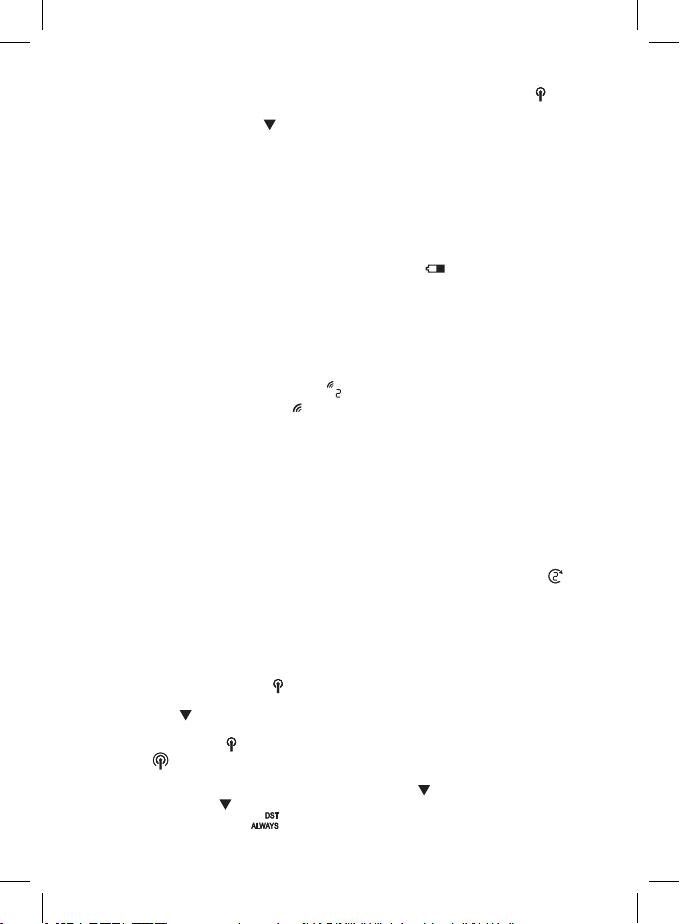
2. Place the two units next to each other. After placing batteries into the station, the station au-
tomatically starts searching for DCF77 signal (hereinafter referred to as DCF); the
icon will
be ashing. No other data on the display will be updated and all buttons will be disabled during
the search. Long pressing the
button cancels the search for DCF signal prematurely and the
station automatically loads the temperature and humidity readings from the sensor. The weather
station will detect the remote sensor signal within 3 minutes. If signal from the sensor is not
detected, repeat the process from step 1.
3. If the outdoor temperature reading disappears from the display, long press the CH button on the
station. The station will start searching for the sensor signal.
4. We recommend placing the sensor on the north side of the house. The range of the sensor
may decrease substantially in areas with a large number of obstacles. The sensor is resistant
to dripping water; however, it should not be exposed to sustained rain. Do not place the sensor
on metal objects as these would reduce transmission range. Use the sensor in vertical position
only. If the weather station display shows the low battery icon in the outdoor humidity eld,
replace the batteries in the sensor.
Note: It may take up to 30 minutes since the insertion of batteries into the units before the station
begins showing the correct measured data and loads DCF time.
Changing Sensor Channel and Connecting Additional Sensors
The station can be paired with up to 3 wireless sensors.
1. Choose the desired channel – 1, 2, or 3 – for the sensor by repeatedly pressing the CH button
on the station.
2. The number will be displayed in eld no. 1
.
3. Then, long press the CH button; the
icon will start ashing.
4. Remove the battery cover on the back of the sensor and move the slider to the sensor channel
of choice (1, 2, 3).
5. Insert batteries (2× 1.5 V AA) into the sensor. Data from the sensor will be loaded into the
station within 3 minutes.
6. If the sensor signal is not detected, remove the batteries and reinsert them.
Displaying Data from Multiple Sensors, Automatic Cycling through Values from
Connected Sensors
Press the CH button repeatedly to display data from all connected sensors one by one. You can also
activate automatic cycling through data from all connected sensors:
1. Turning on cycle mode
Repeatedly press the CH button until the display shows an arrow icon with sensor number . Data
from all connected sensors will be shown automatically and repeatedly on the station‘s display one
after another.
2. Turning o cycle mode
Press the CH button; the arrow icon will disappear.
Radio-Controlled Clock (DCF77)
After placing batteries into the station, the station automatically starts searching for DCF77 signal
(hereinafter referred to as DCF); the icon will be ashing.
No other data on the display will be updated and all buttons will be disabled during the search.
Long pressing the button cancels the search for DCF signal prematurely and the station automat-
ically loads the temperature and humidity readings from the sensor.
DCF signal detected – the
icon stops ashing and the current time and date will be displayed
along with a
icon.
DCF signal not detected – DCF icon will not be displayed.
To repeat the search for DCF signal (3–8 minutes), long press the
button; to cancel the search for
DCF signal long press the
button again. DCF signal will be continuously synchronised every day.
During daylight saving time, the
icon will be displayed next to the DCF icon.
Preuzmite priručnik na hrvatskom jeziku (PDF, 0.81 MB)
(Čuvajte okoliš i ovaj priručnik ispišite samo ako je nužno)

Loading…

Ocjena

Ostavite ocjenu proizvoda EMOS E0352 Meteorološka stanica i recite nam što mislite o njemu. Želite podijeliti svoje iskustvo s proizvodom ili postaviti pitanje? Ostavite komentar na dnu stranice.
Jeste li zadovoljni s EMOS E0352 Meteorološka stanica?
Da Ne
67%
33%
6 glasovi

Pridružite se razgovoru o ovom proizvodu

Ovdje možete podijeliti što mislite o EMOS E0352 Meteorološka stanica. Ako imate pitanja, prvo pažljivo pročitajte priručnik. Zahtjev za priručnik možete izvršiti putem našeg obrasca za kontakt.

Körmendi Zoltánné 12-01-2024
Nema uputa za uporabu. Kako isključiti alarm?

odgovori | Ovo je bilo korisno (0) (Preveo Google)
Marija Jeromen 26-09-2025
Molim vas, pošaljite mi upute za E0352 u Slovenian, čini se da nisu bili priloženi u vrijeme kupnje prije 14 dana u uličici. Ni na koji način ne odbija upravljati odgovarajućim vanjskim jedinicama koje uvijek naznače na unutarnjoj jedinici da je sunce, iako to nije ni slučajno. Temperatura bi trebala biti iznad 20 ST C vlažna, ali ispod 50, iako je maglovita ili kiša

odgovori | Ovo je bilo korisno (0) (Preveo Google)

Više o ovom priručniku

Razumijemo da je lijepo imati papirnati priručnik za svoj EMOS E0352 Meteorološka stanica. Uvijek možete preuzeti priručnik s naše web stranice i sami ga ispisati. Ako želite imati originalni priručnik, preporučujemo da kontaktirate EMOS. Oni bi mogli osigurati originalni priručnik. Tražite li priručnik za svoj EMOS E0352 Meteorološka stanica na drugom jeziku? Odaberite željeni jezik na našoj početnoj stranici i potražite broj modela da vidite imamo li ga na raspolaganju.

Tehnički podaci

Marka EMOS
Model E0352
Kategorija Meteorološke stanice
Vrsta datoteke PDF
Veličina datoteke 0.81 MB

Svi priručnici za EMOS Meteorološke stanice
Više priručnika za Meteorološke stanice

Često postavljana pitanja o EMOS E0352 Meteorološka stanica

Naš tim za podršku pretražuje korisne informacije o proizvodu i odgovore na česta pitanja. Ako u častim pitanjima naiđete na netočne informacije, obratite nam se putem obrasca za kontakt.

Moja meteorološka postaja prognozirala je kišu, no ona nije pala. Zašto se to dogodilo? Potvrđeno

Prognoze na meteorološkoj postaji temelje se na tlaku zraka. Općenito gledano, nizak tlak znači loše vrijeme, a visok tlak znači dobro vrijeme. Moguće je da se vrijeme razvije drugačije nego što se prognozira prema tlaku zraka.

Ovo je bilo korisno (1469) Čitaj više

Koje je najbolje mjesto za meteorološku stanicu i njene senzore? Potvrđeno

Sama meteorološka stanica smještena je unutra i treba je držati podalje od izvora topline poput kuhinje, prozora ili električnih uređaja. Zasebni senzor vanjske temperature treba postaviti u sjenu i najmanje 1,25 m iznad tla. Senzor za kišu treba postaviti na otvoreno područje gdje uvijek može skupljati kišu. Senzor za vjetar također treba postaviti na otvoreno područje, sa svim preprekama koje utječu na vjetar.

Ovo je bilo korisno (395) Čitaj više

Moja meteorološka stanica ima mjerač kiše, može li mjeriti i količinu snijega? Potvrđeno

Neki su mjerači kiše opremljeni grijaćim elementom, što čini snijeg topljenjem i omogućuje mu mjerenje. Bez grijaćeg elementa, kišomjer će se začepiti i ne može se izvršiti mjerenje.

Ovo je bilo korisno (282) Čitaj više

Mogu li dulje vrijeme u uređaju ostaviti zamjenjivu bateriju? Potvrđeno

Zamjenjive baterije mogu dugo ostati u uređaju ako se uređaj koristi. Kad se uređaj čuva dulje vrijeme, preporučljivo je izvaditi baterije kako biste spriječili oksidaciju.

Ovo je bilo korisno (282) Čitaj više

Baterija u mom uređaju je oksidirana, mogu li je i dalje sigurno koristiti? Potvrđeno

Da, uređaj se i dalje može sigurno koristiti. Prvo uklonite oksidirajuću bateriju. Nikad to nemojte koristiti golim rukama. Zatim očistite odjeljak za baterije pamučnom krpom umočenom u ocat ili limunov sok. Ostavite da se osuši i umetnite nove baterije.

Ovo je bilo korisno (280) Čitaj više
Priručnik EMOS E0352 Meteorološka stanica

Povezani proizvodi

Povezane kategorije

×
Download