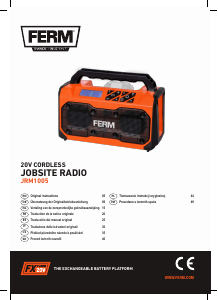
Priručnik FERM JRM1005 Radioprijamnik

Trebate priručnik za svoj FERM JRM1005 Radioprijamnik? U nastavku možete pogledati i besplatno preuzeti PDF priručnik na hrvatskom jeziku. Ovaj proizvod trenutno ima 2 često postavljanih pitanja, 0 komentara i ima 0 glasova. Ako ovo nije priručnik koji želite, kontaktirajte nas.

Vaš je proizvod neispravan i priručnik ne nudi rješenja? Otvorite Repair Café za besplatne usluge popravka.

Priručnik

Loading…
7
EN
11. 1-6 pre-set choice button
12. Play/pause button
13. Volume button “+”
14. Volume button “-“
15. Search button “>”
16. Search button “<”
17. Antenna
18. Antenna tip
19. USB port cover
3. ASSEMBLY
The battery must be charged before first
use.
Inserting the battery into the machine (Fig. B)
Ensure that the exterior of the battery is
clean and dry before connecting to the
charger or machine.
1. Insert the battery (4) into the base of the
machine as shown in Fig. B.
2. Push the battery further down until it clicks into
place.
Removing the battery from the machine (Fig. B)
1. Push the battery unlock button (5).
2. Pull the battery out of the machine like shown
in Fig. B.
Setting the antenna (Fig. C)
Turn the antenna upside.
Take the tip (18) and pull it out to a total length
of 30cm, there are 5 sections.
Point the antenna (17) toward the direction that
enables the best reception.
Tip! When the reception is insufficient, position
the radio at a different location that enables better
reception.
4. OPERATION
Place the product on an even surface.
To prevent falling.
Turn on/ turn off (Fig. D)
Hold the power button (7) for a few seconds to
turn on the radio. Until you hear “power on”.
Hold the power button (7) for a few seconds to
turn off the radio. Until you hear “power off”.
Adjusting volume (Fig. D)
Increase volume: press “+” button (13).
Decrease volume: press “-” button (14).
Choose audio source: FM-Radio or Bluetooth
streaming (Fig. D-E)
Press the Mode button (8) to switch between
FM mode or Bluetooth mode.
You will hear the mode selected and it will
show on the display, Bluetooth symbol (6A) or
FM symbol (6B).
FM-Radio mode - Searching for station (Fig. D)
Hold the “>” button (15) for a few seconds and the
radio will search for the first available radio station
(higher frequency). For lower frequencies use the
“<” button (16).
Manually changing frequency (Fig. D-E)
Press the “>” or “<” button (15, 16) until you reach
the correct frequency.
FM-Radio storing stations (Fig. D-E)
Easily switch between your favourite radio
stations by using the pre-set 1 to 6.
For this example we are going to pre-set one
station as pre-set number 3.
Press button “1-6” (11) until 3 (6D) shows on
the display (6) like shown in figure D.
Search for your favourite radio station by using
the search buttons (15, 16).
FM frequency (6E) will show in display (6).
Hold the pre-set button (10) to save this
frequency as pre-set number 3, the number 3
will appear again on display (6D).
Bluetooth mode (Fig. D-F)
Connect for first time
Press the mode button (8) until you are in
Bluetooth mode.
Turn on the Bluetooth on your mobile device.
Scan for “FERM FX-POWER Radio” on your
mobile device.
Connect it to the radio. You will hear
“connected” and the Bluetooth symbol on the
radio will stop blinking.
Preuzmite priručnik na hrvatskom jeziku (PDF, 2.03 MB)
(Čuvajte okoliš i ovaj priručnik ispišite samo ako je nužno)

Loading…

Ocjena

Ostavite ocjenu proizvoda FERM JRM1005 Radioprijamnik i recite nam što mislite o njemu. Želite podijeliti svoje iskustvo s proizvodom ili postaviti pitanje? Ostavite komentar na dnu stranice.
Jeste li zadovoljni s FERM JRM1005 Radioprijamnik?
Da Ne
Prvi ocijenite ovaj proizvod
0 glasovi

Pridružite se razgovoru o ovom proizvodu

Ovdje možete podijeliti što mislite o FERM JRM1005 Radioprijamnik. Ako imate pitanja, prvo pažljivo pročitajte priručnik. Zahtjev za priručnik možete izvršiti putem našeg obrasca za kontakt.

Više o ovom priručniku

Razumijemo da je lijepo imati papirnati priručnik za svoj FERM JRM1005 Radioprijamnik. Uvijek možete preuzeti priručnik s naše web stranice i sami ga ispisati. Ako želite imati originalni priručnik, preporučujemo da kontaktirate FERM. Oni bi mogli osigurati originalni priručnik. Tražite li priručnik za svoj FERM JRM1005 Radioprijamnik na drugom jeziku? Odaberite željeni jezik na našoj početnoj stranici i potražite broj modela da vidite imamo li ga na raspolaganju.

Tehnički podaci

Marka FERM
Model JRM1005
Kategorija Radioprijamnici
Vrsta datoteke PDF
Veličina datoteke 2.03 MB

Svi priručnici za FERM Radioprijamnici
Više priručnika za Radioprijamnici

Često postavljana pitanja o FERM JRM1005 Radioprijamnik

Naš tim za podršku pretražuje korisne informacije o proizvodu i odgovore na česta pitanja. Ako u častim pitanjima naiđete na netočne informacije, obratite nam se putem obrasca za kontakt.

Što je DAB+? Potvrđeno

DAB+ nasljednik je signala FM i znači Digital Audio Broadcasting (digitalno emitiranje zvuka). Riječ je o digitalnom signalu koji omogućava više kanala u istoj širini pojasa, kao i lakše prebacivanje kanala.

Ovo je bilo korisno (304) Čitaj više

Koja je razlika između FM-a i AM-a? Potvrđeno

I FM i AM oblici su modulacije koji se upotrebljavaju za prijenos signala. FM znači Frequency Modulation (modulacija frekvencije), a AM Amplitude Modulation (modulacija amplitude). AM je najstariji oblik modulacije. Najveća je razlika to što je signal FM mnogo snažniji od signala AM.

Ovo je bilo korisno (244) Čitaj više
Priručnik FERM JRM1005 Radioprijamnik

Povezani proizvodi

Povezane kategorije

×
Download