Priručnik Trust Slimline Tablet s olovkom

Trebate priručnik za svoj Trust Slimline Tablet s olovkom? U nastavku možete pogledati i besplatno preuzeti PDF priručnik na hrvatskom jeziku. Ovaj proizvod trenutno ima 0 često postavljanih pitanja, 0 komentara i ima 1 glas s ​​prosječnom ocjenom proizvoda 100/100. Ako ovo nije priručnik koji želite, kontaktirajte nas.

Vaš je proizvod neispravan i priručnik ne nudi rješenja? Otvorite Repair Café za besplatne usluge popravka.

Priručnik

Loading…
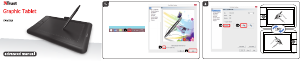
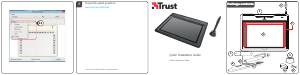
Slimline Widescreen Tablet – User’s Manual
3
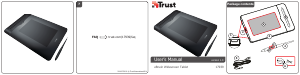
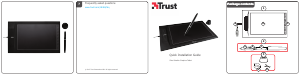
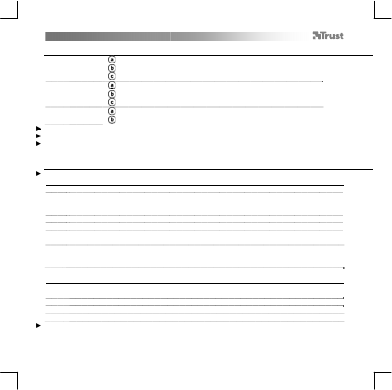
Package contents (Package contents)
1
T
ablet:
USB Cable
Working area
Hot cells (programmable)
2 Pen:
Lower pen button
Upper pen button
Battery holder
3 Pen holder:
Pen-tip removal tool
2x Spare pen-tips
Screw the pen open and place the battery in the pen
Cleaning: Clean the tablet with a dry cloth. Do not use or spill water on the tablet, or its pen.
Storage: Store the pen so that it does not rest on its tip, preferably in its holder. Do not store the pen on the tablet.
Install tablet (Install tablet)
It might be necessary to restart your computer at the end of the driver’s installation. It is therefore preferable that you
save and close all opened documents and applications before starting the installation.
4 Insert the Trust CD-ROM into your CD drive.
5
Windows 8: click the “Tab to choose” message window in the right top corner of the screen
Click “Run Setup.exe – Published by Trust International BV”
Click “Install driver”
Trust Tablet driver installation: To continue, Click “OK”
Trust Tablet driver was successfully installed: Click “OK”
ou must restart your computer: Click “OK” to restart your computer. (If you have unsaved
documents and files, select “Cancel” to restart your computer later)
6
Once your computer has restarted, the tablet can be connected to a USB port.
After the driver has been successfully installed (this may take some time), and the message “USB input
device ready to use” appears, the tablet can be used.
Draw (Draw)
Open a drawing program (For example, Artweaver is available on the Trust CD-ROM: select “Install
ArtWeaver” from the menu to install it.)
7 Create a new document (File > New)
8 Set the attributes of your new document, press OK
9 Select a tool that supports Pen Pressure Sensitivity (Ex: in Artweaver: default brush)
With the pen’s pressure levels, you can use your brush the way you would use a real pencil and draw the thickness and
opacity you desire.
Preuzmite priručnik na hrvatskom jeziku (PDF, 2.88 MB)
(Čuvajte okoliš i ovaj priručnik ispišite samo ako je nužno)

Loading…

Ocjena

Ostavite ocjenu proizvoda Trust Slimline Tablet s olovkom i recite nam što mislite o njemu. Želite podijeliti svoje iskustvo s proizvodom ili postaviti pitanje? Ostavite komentar na dnu stranice.
Jeste li zadovoljni s Trust Slimline Tablet s olovkom?
Da Ne
100%
0%
1 glas

Pridružite se razgovoru o ovom proizvodu

Ovdje možete podijeliti što mislite o Trust Slimline Tablet s olovkom. Ako imate pitanja, prvo pažljivo pročitajte priručnik. Zahtjev za priručnik možete izvršiti putem našeg obrasca za kontakt.

Više o ovom priručniku

Razumijemo da je lijepo imati papirnati priručnik za svoj Trust Slimline Tablet s olovkom. Uvijek možete preuzeti priručnik s naše web stranice i sami ga ispisati. Ako želite imati originalni priručnik, preporučujemo da kontaktirate Trust. Oni bi mogli osigurati originalni priručnik. Tražite li priručnik za svoj Trust Slimline Tablet s olovkom na drugom jeziku? Odaberite željeni jezik na našoj početnoj stranici i potražite broj modela da vidite imamo li ga na raspolaganju.

Tehnički podaci

Marka Trust
Model Slimline
Kategorija Tableti s olovkom
Vrsta datoteke PDF
Veličina datoteke 2.88 MB

Svi priručnici za Trust Tableti s olovkom
Više priručnika za Tableti s olovkom
Priručnik Trust Slimline Tablet s olovkom

Povezani proizvodi

Povezane kategorije

×
Download