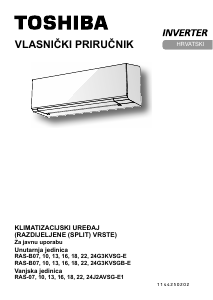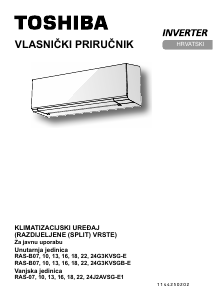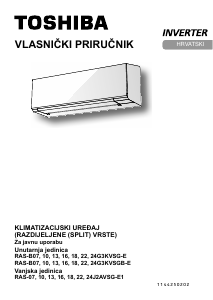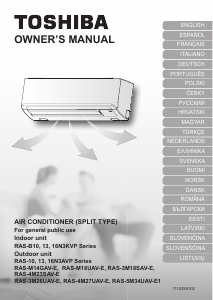
Priručnik Toshiba RAS-4M23SAV-E Klimatizacijski uređaj

Trebate priručnik za svoj Toshiba RAS-4M23SAV-E Klimatizacijski uređaj? U nastavku možete pogledati i besplatno preuzeti PDF priručnik na hrvatskom jeziku. Ovaj proizvod trenutno ima 8 često postavljanih pitanja, 0 komentara i ima 0 glasova. Ako ovo nije priručnik koji želite, kontaktirajte nas.

Vaš je proizvod neispravan i priručnik ne nudi rješenja? Otvorite Repair Café za besplatne usluge popravka.

Priručnik

Loading…
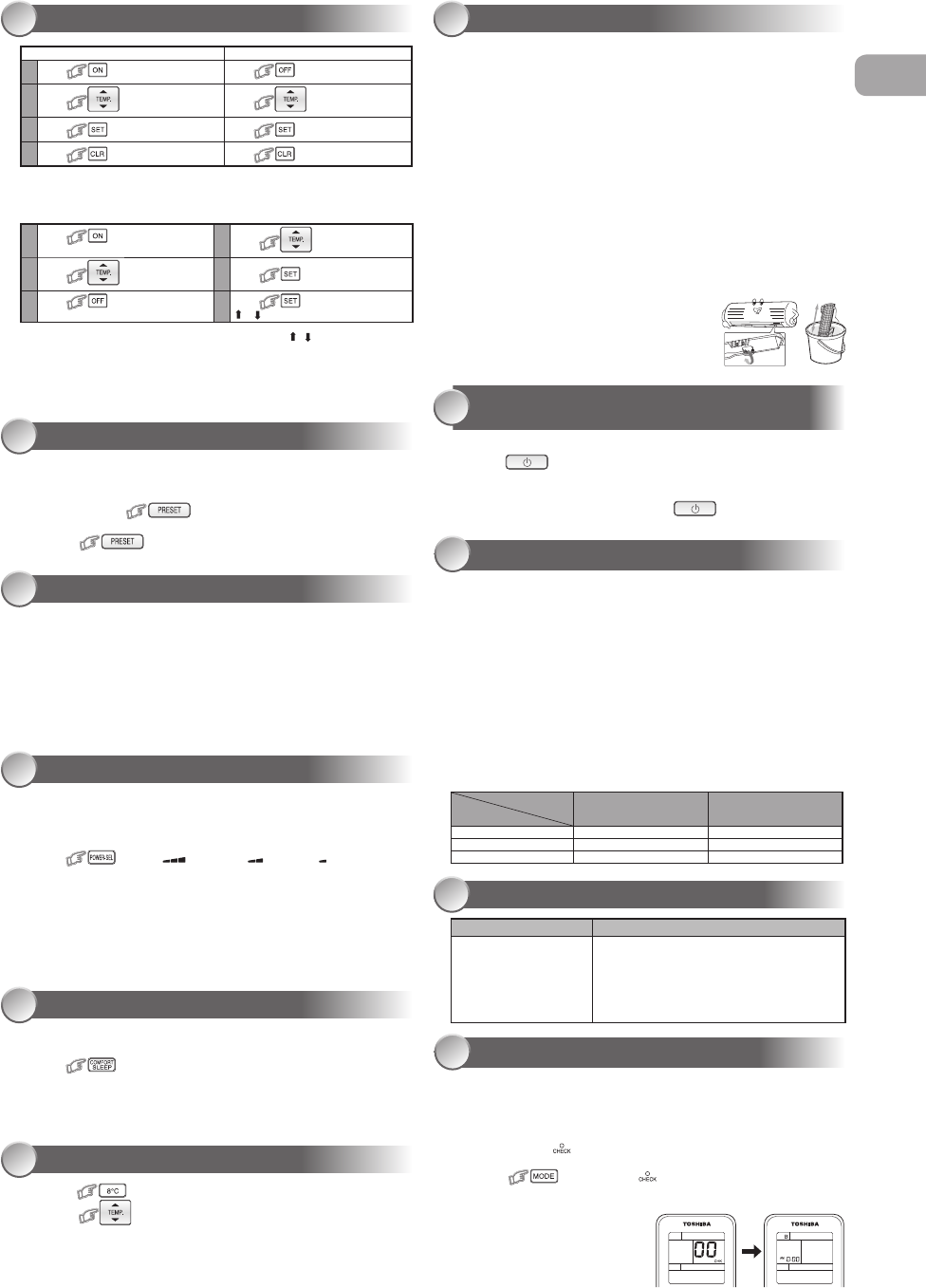
TIMER OPERATION
13
Daily timer allows the user to set both the ON & OFF timers and will be
activated on a daily basis.
Setting Daily Timer
Setting the ON Timer Setting the OFF Timer
1
Press for enter ON timer setting
Press
for enter OFF timer setting
2
Press for select desired ON
timer.
Press for select desired OFF
timer.
3
Press for set timer. Press for set timer.
4
Press for cancel timer. Press for cancel timer.
1
Press for enter ON timer
setting
4
Press for select desired OFF
timer.
2
Press for select desired
ON timer.
5
Press .
3
Press for enter OFF timer
setting
6
Press again during the
( or ) blink.
During the daily timer is activating, both arrows ( , ) are indicated.
Note:
Keep the remote control in accessible transmission to the indoor unit;
otherwise, the time lag up to 15 minutes will occur.
The setting will be saved for the next same operation.
PRESET OPERATION
14
Set your preferred operation for future use. The setting will be memorized by
the unit for future operation (except air ow direction).
1. Select your preferred operation.
2. Press and hold for 3 seconds to memorize the setting.
The P mark displays.
3. Press
: Operate the preset operation.
AUTO RESTART OPERATION
15
To automatically restart the conditioner after the power failure (Power of the
unit must be on.)
Setting
1. Press and hold the RESET button on the indoor unit for 3 seconds to set the
operation. (3 beep sound and OPERATION lamp blink 5 time/sec for 5 seconds)
2. Press and hold the RESET button on the indoor unit for 3 seconds to cancel the
operation. (3 beep sound but OPERATION lamp does not blink)
In case of ON timer or OFF timer are set, AUTO RESTART OPERATION does
not activate.
To save energy while sleeping, automatically control air ow and
automatically turn OFF.
Press
: Select 1, 3, 5 or 9 hrs for OFF timer operation.
Note: The cooling operation, the set temperature will increase automatically
1 degree/hour for 2 hours (maximum 2 degrees increase). For heating
operation, the set temperature will decrease.
POWER-SELECTION OPERATION (Optional)
16
COMFORT SLEEP OPERATION
17
SELF CLEANING OPERATION
(COOL AND DRY OPERATION ONLY)
20
OPERATION AND PERFORMANCE
21
1. Three-minute protection feature: To prevent the unit from being activated for 3
minutes when suddenly restarted or switched to ON.
2. Preheating operation: Warm up the unit for 5 minutes before the heating
operation starts.
3. Warm air control: When the room temperature reaches the set temperature, the
fan speed is automatically reduced and the outdoor unit will stop.
4. Automatic defrosting: Fans will stop during defrost operation.
5. Heating capacity: Heat is absorbed from outdoors and released into the room.
When the outdoor temperature is too low, use another recommended heating
apparatus in combination with the air conditioner.
6. Consideration for accumulated snow: Select the position for outdoor unit where
it will not be subjected to snow drifts, accumulation of leaves or other seasonal
debris.
7. Some minor cracking sound may occur when unit operating. This is normal
because the cracking sound may be caused by expansion/contraction of plastic.
Note: Item 2 to 6 for Heating model
Air conditioner operating conditions
Temp.
Operation
Outdoor Temperature Room Temperature
Heating –15°C ~ 24°C Less than 28°C
Cooling –10°C ~ 46°C 21°C ~ 32°C
Dry –10°C ~ 46°C 17°C ~ 32°C
The unit does not operate. Cooling or Heating is abnormally low.
The power main switch is
turned off.
The circuit breaker is activated
to cut off the power supply.
Stoppage of electric current
ON timer is set.
The lters are blocked with dust.
The temperature has been set improperly.
The windows or doors are opened.
The air inlet or outlet of the outdoor unit is blocked.
The fan speed is too low.
The operation mode is FAN or DRY.
POWER SELECT FUNCTION is set at 75% or 50%.
TROUBLESHOOTING (CHECK POINT)
22
REMOTE CONTROL A-B SELECTION
23
To separate using of remote control for each indoor unit in case of 2 air
conditioner are installed nearly.
Remote Control B Setup.
1. Press RESET button on the indoor unit to turn the air conditioner ON.
2. Point the remote control at the indoor unit.
3. Push and hold button on the Remote Control by the tip of the pencil.
“00” will be shown on the display.
4. Press
during pushing . “B” will show on the display and
“00” will disappear and the air conditioner will turn OFF. The Remote
Control B is memorized.
Note:
1. Repeat above step to reset
Remote Control to be A.
2. Remote Control A has not “A”
display.
3. Default setting of Remote Control
from factory is A.
1.
Press button to change to 8°C set temperature heating operation.
2. Press to adjust setting temperature from 5°C to 13°C.
Note: 8°C will operate in Heating mode only. If Air conditioner performs in
cooling operation (including automatic cooling) or dry operation it will
change to heating operating.
When using a multi-system outdoor unit is connected, 8°C operation
can not be used.
8°C OPERATION (Optional)
18
0
Firstly, turn off the circuit breaker.
Filter Reset (Some models only)
FILTER lamp lights on; the lter must be cleaned.
To turn off the lamp, push the RESET button on the indoor unit or the FILTER button on
the remote control.
Indoor Unit and Remote Control
Clean the indoor unit and the remote control with a wet cloth when needed.
No benzine, thinner, polishing powder or chemically-treated duster.
Cleaning the air ionizer (Once every six months)
1. Turn off air conditioner using remote control and power supply.
2. Fully open the vertical air ow louvers by hand.
3. Use a toothbrush to rub the ends of metal pin three or four times.
Note: Do not use cotton swabs or other objects with uff.
Cleaning the plasma air puri er unit (About every 1000 hours performed)
1. Turn off air conditioner using remote control and power supply.
2. Take out the air inlet grille (See detail in installation manual).
3. Take out the plasma air puri er by grasp the handle, and the pull it out.
4. Soak in hot water at 40°C to 50°C for about 10 to 15 minutes and rub up, down,
left, right and rub surface gently with a sponge.
5. Allow to dry thoroughly in the shade.
6. Attach the plasma air puri er by grasp the handle
and insert into the right and left guide rails.
7. Press both ends of the plasma air puri er until the
protrusions on both sides of the plasma air puri er
are completely inserted.
8. Attach the air lter, and then close the air inlet grille.
MAINTENANCE
19
To protect bad smell caused by the humidity in the indoor unit.
1. If the
button is pressed once during “Cool” or “Dry” mode,
the fan will continue to run for other 30 minutes, then it will turn off
automatically. This will reduce the moisture in the indoor unit.
2. To stop the unit immediately, press the more 2 times within 30
seconds.
This function is used when its circuit breaker is shared with other electrical
appliances. It limits the maximum current/ power consumption to 100%, 75%
or 50%. The lower the percentage, the higher the saving and also the longer
the compressor lifetime.
Press
: Select: (for 100%), (for 75%), (for 50%)
When the level is selected, PWR-SEL level ashes on LCD display for
3 seconds. In case of 75% and 50% level, number “75” or “50” also
ashes for 2 seconds.
Due to the reason that POWER SELECT FUNCTION limits the
maximum current, inadequate capacity may occur.
Note: When using a multi-system outdoor unit is connected,
POWER-SELECTION operation can not be used.
EN
Preuzmite priručnik na hrvatskom jeziku (PDF, 2.56 MB)
(Čuvajte okoliš i ovaj priručnik ispišite samo ako je nužno)

Loading…

Ocjena

Ostavite ocjenu proizvoda Toshiba RAS-4M23SAV-E Klimatizacijski uređaj i recite nam što mislite o njemu. Želite podijeliti svoje iskustvo s proizvodom ili postaviti pitanje? Ostavite komentar na dnu stranice.
Jeste li zadovoljni s Toshiba RAS-4M23SAV-E Klimatizacijski uređaj?
Da Ne
Prvi ocijenite ovaj proizvod
0 glasovi

Pridružite se razgovoru o ovom proizvodu

Ovdje možete podijeliti što mislite o Toshiba RAS-4M23SAV-E Klimatizacijski uređaj. Ako imate pitanja, prvo pažljivo pročitajte priručnik. Zahtjev za priručnik možete izvršiti putem našeg obrasca za kontakt.

Više o ovom priručniku

Razumijemo da je lijepo imati papirnati priručnik za svoj Toshiba RAS-4M23SAV-E Klimatizacijski uređaj. Uvijek možete preuzeti priručnik s naše web stranice i sami ga ispisati. Ako želite imati originalni priručnik, preporučujemo da kontaktirate Toshiba. Oni bi mogli osigurati originalni priručnik. Tražite li priručnik za svoj Toshiba RAS-4M23SAV-E Klimatizacijski uređaj na drugom jeziku? Odaberite željeni jezik na našoj početnoj stranici i potražite broj modela da vidite imamo li ga na raspolaganju.

Tehnički podaci

Marka Toshiba
Model RAS-4M23SAV-E
Kategorija Klimatizacijski uređaji
Vrsta datoteke PDF
Veličina datoteke 2.56 MB

Svi priručnici za Toshiba Klimatizacijski uređaji
Više priručnika za Klimatizacijski uređaji

Često postavljana pitanja o Toshiba RAS-4M23SAV-E Klimatizacijski uređaj

Naš tim za podršku pretražuje korisne informacije o proizvodu i odgovore na česta pitanja. Ako u častim pitanjima naiđete na netočne informacije, obratite nam se putem obrasca za kontakt.

Koliko često trebam čistiti ili zamijeniti filtre u klimatizacijskom uređaju? Potvrđeno

Preporučuje se da filtre provjeravate četiri puta godišnje. Prljavi filtri mogu se očistiti usisavačem ili ih je moguće oprati, ovisno o vrsti. Tijekom servisiranja serviser bi trebao odrediti je li vrijeme za zamjenu filtara.

Ovo je bilo korisno (2980) Čitaj više

Što znači BTU? Potvrđeno

BTU znači British Thermal Unit, odnosno britanska toplinska jedinica. Riječ je o jedinici kojom se označava kapacitet za hlađenje.

Ovo je bilo korisno (1108) Čitaj više

Funkcionira li svaki klima uređaj i kao odvlaživač zraka? Potvrđeno

Hladni zrak koji proizvodi klima uređaj često ima relativno nisku vlažnost zraka. Međutim, učinak je manji nego kada se koristi stvarni odvlaživač zraka. Neki klima uređaji imaju posebnu značajku za odvlaživanje zraka.

Ovo je bilo korisno (885) Čitaj više

Što je R-410A? Potvrđeno

R-410A je rashladno sredstvo koje se koristi u uređajima koji se hlade do 0 ° C, poput hladnjaka i klima uređaja. Zamjena je starijih rashladnih sredstava i ne oštećuje ozonski sloj.

Ovo je bilo korisno (626) Čitaj više

Koje je najbolje mjesto za montiranje unutarnje jedinice split-tipa klima uređaja? Potvrđeno

To ovisi o prostoru, ali općenito se mogu poštivati ​​sljedeća pravila. Pazite da ništa ne ometa protok zraka. Provjerite je li mjesto dostupno radi održavanja. Uređaj montirajte najmanje 2 metra od tla.

Ovo je bilo korisno (441) Čitaj više

Ima li klima uređaj negativan utjecaj na kvalitetu zraka? Potvrđeno

Ako je klima uređaj pravilno održavan, to neće imati utjecaja na kvalitetu zraka. Ako na primjer filtar već dugo nije zamijenjen ili nije izvršeno neko drugo održavanje, klima uređaj može proizvesti prljavi zrak.

Ovo je bilo korisno (434) Čitaj više

Mogu li staviti svoj mobilni klima uređaj u ormarić kako bih ga sklonio s vidika? Potvrđeno

Ne, apsolutno ne. Pokretnom klima uređaju potreban je prostor koji omogućuje protok zraka i usis zraka. U malom prostoru uređaj se može pregrijati.

Ovo je bilo korisno (430) Čitaj više

Koliko mogu očekivati ​​da mi klima uređaj Toshiba traje? Potvrđeno

To uvelike ovisi o modelu, upotrebi i održavanju, ali u normalnim uvjetima Toshiba navodi da bi njihovi sustavi trebali trajati 12-15 godina.

Ovo je bilo korisno (56) Čitaj više
Priručnik Toshiba RAS-4M23SAV-E Klimatizacijski uređaj

Povezani proizvodi

Povezane kategorije

×
Download