Priručnik Trust Slimline Tablet s olovkom

Trebate priručnik za svoj Trust Slimline Tablet s olovkom? U nastavku možete pogledati i besplatno preuzeti PDF priručnik na hrvatskom jeziku. Ovaj proizvod trenutno ima 0 često postavljanih pitanja, 0 komentara i ima 1 glas s ​​prosječnom ocjenom proizvoda 100/100. Ako ovo nije priručnik koji želite, kontaktirajte nas.

Vaš je proizvod neispravan i priručnik ne nudi rješenja? Otvorite Repair Café za besplatne usluge popravka.

Priručnik

Loading…
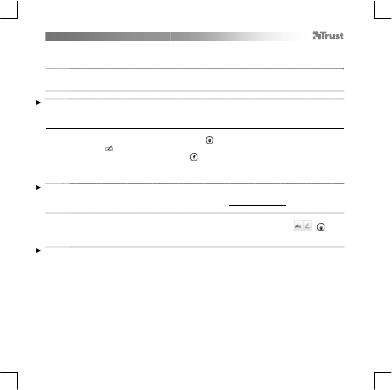
Slimline Widescreen Tablet – User’s Manual
4
The pen can detect 2048 levels of pressure, and use the variation in levels to automatically change the size, the color, or
various settings of the tool you are currently using.
This allows for flexibility and gives a very intuitive feeling to your graphic work.
10
Move the pen in the tablet’s working area: the cursor will follow the movements. Hovering the pen tip
at about 5 mm from the surface will allow you to move the cursor on your screen. When you touch the
tablet’s surface, your brush will start drawing on the new document.
11
T
he color panel allows you to select different colors.
By default in most drawing programs, the color your brush is applying is black. Depending on the pressure you exert with
the pen on the tablet’s surface, your brush will paint in nuances going from white (no pressure) to black (full pressure).
Write (Write)
12
Windows 8: click the keyboard icon in the system tray.
Open the Input Panel (tap the docked input panel ( ), on the side of the screen, or tap the text input
floating bar ( ).
Y
our handwriting will be converted into text ( ). You can correct, erase or modify the proposed
conversion.
T
hen click or tap Insert to have the text you handwrote entered into the active document / text input
field.
Handwriting recognition is a feature of Windows Vista and Windows 7/8 that converts what you write into text you can
then format like any other text. The Handwriting Input Panel appears automatically when you start using the tablet. If it
does not show, or only appears as a virtual keyboard, please consult trust.com/18469/FAQ.
In Windows XP or Mac OS, a third-party software is required, to convert your handwriting into text.
13
After installing and connecting your tablet, the handwriting feature of Live Messenger is activated.
It can be accessed, while in Live conversation, by clicking the corresponding button: ( )
Y
ou can then draw and send messages in your own handwriting, and use the six formatting buttons
that appear in the conversation window to personalize your messages.
To send handwritten messages you must have Windows 7/8, Windows Vista, or Windows XP with Service Pack 3 or later
installed. The latest version of Live Messenger is also required.
Preuzmite priručnik na hrvatskom jeziku (PDF, 2.88 MB)
(Čuvajte okoliš i ovaj priručnik ispišite samo ako je nužno)

Loading…

Ocjena

Ostavite ocjenu proizvoda Trust Slimline Tablet s olovkom i recite nam što mislite o njemu. Želite podijeliti svoje iskustvo s proizvodom ili postaviti pitanje? Ostavite komentar na dnu stranice.
Jeste li zadovoljni s Trust Slimline Tablet s olovkom?
Da Ne
100%
0%
1 glas

Pridružite se razgovoru o ovom proizvodu

Ovdje možete podijeliti što mislite o Trust Slimline Tablet s olovkom. Ako imate pitanja, prvo pažljivo pročitajte priručnik. Zahtjev za priručnik možete izvršiti putem našeg obrasca za kontakt.

Više o ovom priručniku

Razumijemo da je lijepo imati papirnati priručnik za svoj Trust Slimline Tablet s olovkom. Uvijek možete preuzeti priručnik s naše web stranice i sami ga ispisati. Ako želite imati originalni priručnik, preporučujemo da kontaktirate Trust. Oni bi mogli osigurati originalni priručnik. Tražite li priručnik za svoj Trust Slimline Tablet s olovkom na drugom jeziku? Odaberite željeni jezik na našoj početnoj stranici i potražite broj modela da vidite imamo li ga na raspolaganju.

Tehnički podaci

Marka Trust
Model Slimline
Kategorija Tableti s olovkom
Vrsta datoteke PDF
Veličina datoteke 2.88 MB

Svi priručnici za Trust Tableti s olovkom
Više priručnika za Tableti s olovkom
Priručnik Trust Slimline Tablet s olovkom

Povezani proizvodi

Povezane kategorije

×
Download